


How to Set Up and Use Your Mercedes-Benz Digital Key
Imagine unlocking and starting your Mercedes-Benz with just your phone or watch—no physical key needed. With the innovative Mercedes-Benz Digital Key, this is now a reality. Designed for convenience and security, the Digital Key turns your compatible iPhone or Apple Watch into a virtual car key.
Whether you’re a proud Mercedes-Benz owner, an automotive enthusiast intrigued by cutting-edge technology, or simply tech-savvy, this guide walks you through everything you need to know about setting up and using your Digital Key. Plus, we’ll explore all the extra features that make this tool indispensable.
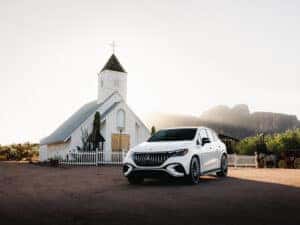
What Is the Mercedes-Benz Digital Key?
The Mercedes-Benz Digital Key is a smart feature that allows you to lock, unlock, and even start your car using a digital key stored on your iPhone or Apple Watch. Instead of fumbling for a physical key, you can now leverage the simplicity of your device. Users can even share the digital key with others, ensuring full convenience without sacrificing security.
How to Set Up the Mercedes-Benz Digital Vehicle Key
Before you can begin enjoying the perks of the Digital Key, you’ll need to complete the setup process. Follow these steps to get started:
1. Check Compatibility
The Mercedes-Benz Digital Key is available on certain models, so first, make sure your vehicle supports the feature. Typically, newer models equipped with Near Field Communication (NFC) technology are compatible. Check your vehicle’s manual or speak to a Mercedes-Benz representative for confirmation.
You’ll also need:
- An iPhone with iOS 14 or later, or an Apple Watch running watchOS 7 or later.
- The latest version of the Mercedes me App installed on your device.
2. Access the Mercedes me App
Once compatibility is confirmed, open the Mercedes me App on your iPhone. If you don’t already have an account, you’ll need to create one and link it to your vehicle.
3. Set Up the Digital Key
- Log in to the app and select your vehicle.
- Navigate to the “Digital Key” section under vehicle features.
- Follow on-screen instructions to link your Digital Key.
Quick Tip: Ensure your device has Bluetooth® and NFC enabled during setup.
4. Add the Digital Key to Apple Wallet
Mercedes-Benz partners with Apple Wallet to make accessing your vehicle as seamless as possible:
- After setting up the key in the app, tap “Add to Apple Wallet.”
- Confirm the action using Face ID, Touch ID, or your device’s passcode.
That’s it! Your iPhone or Apple Watch is now ready to function as your Digital Key.

How to Use the Mercedes-Benz Digital Vehicle Key
With your Digital Key set up, you’re all set to elevate your driving experience. Here’s how you can use it effectively:
Unlocking Your Car
Hold your iPhone or Apple Watch near the driver’s door handle. The NFC technology will detect your device and automatically unlock the door. No need to open apps or even wake your phone—it’s intuitive and effortless.
Starting the Car
Once inside, place your iPhone in the designated NFC reader (usually near the cupholders or center console). For Apple Watch users, simply wear your watch and press the start/stop button as you normally would. The Digital Key ensures the car recognizes you instantly, so you can drive away without delay.
Sharing Your Key
One of the standout features of the Mercedes-Benz Digital Key is the ability to share access with others. Want to authorize a family member, friend, or trusted valet to use your car temporarily? Here’s how:
- Open the Mercedes me App and go to the Digital Key settings.
- Select “Manage Users” and grant key access to other iPhone or Apple Watch users.
- Recipients will receive an invitation to add the Digital Key to their Apple Wallet, allowing them to unlock and drive your car securely.
You retain full control, so you can revoke access at any time.
Pro Tips for Daily Use
- Low Battery? No Problem: Your iPhone can still function as a Digital Key for up to 5 hours after the device shuts down due to a low battery. Ensure NFC remains enabled to use this feature.
- Multiple Vehicles: For those owning more than one Mercedes-Benz, Digital Keys can be set up for individual vehicles, making it easy to keep track.
Additional Information
Models That Support the Mercedes-Benz Digital Key
Not every Mercedes-Benz model includes compatibility for the Digital Key. Here are a few popular models where this feature is currently available:
- Mercedes-Benz S-Class (2021 and later)
- Mercedes-Benz E-Class Coupe (2021 and later)
- Certain models in the C-Class, GLS, and GLE lineups
- Mercedes-Benz EQS
Future models are expected to include even broader compatibility as the feature evolves.
Security Features
Mercedes-Benz has prioritized security in the design of the Digital Key:
- Secure communication through NFC ensures that the system is safe from hacking.
- You have full control over who has access to your key, and permissions can be revoked instantly via the Mercedes me App.
Why Consider the Mercedes-Benz Digital Key?
For fans of modern convenience, this technology offers:
- Simplified access. Your phone or watch becomes your sole point of interaction with your vehicle.
- Enhanced control. Share and manage access to your car hassle-free.
- Future-proof comfort. This smart feature ensures your automotive experience keeps up with the latest trends.
Drive Into the Future with Mercedes-Benz Smart Features
The Mercedes-Benz Digital Key is more than a nifty add-on—it’s a glimpse into the future of automotive luxury and technology. From seamless setup to secure use, it’s designed to make your driving experience as effortless and advanced as possible.
Whether you’re a tech-savvy early adopter or just looking for added convenience in your day-to-day life, the Digital Key is a game-changer that sets Mercedes-Benz apart from the competition.
Got questions or need help? Explore more about smart features in your Mercedes-Benz and contact Mercedes-Benz of Gilbert for personalized assistance.
0 comment(s) so far on How to Set Up and Use Your Mercedes-Benz Digital Key